Did you know when you are login into Google, it keeps a record of your search history? Here is how to delete your Google history.
Steps
- Login in to your google account.

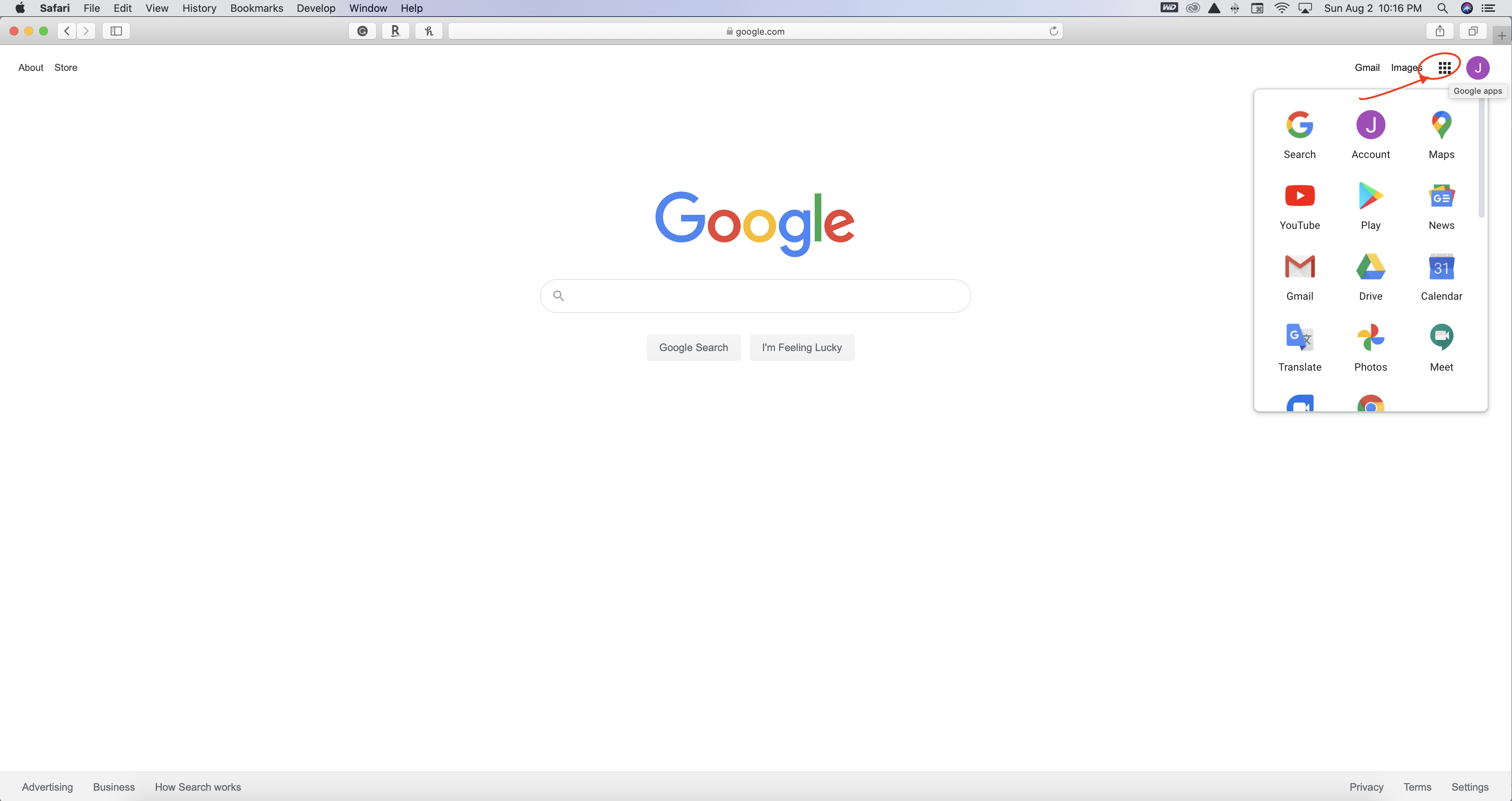
2. Click on the nine little dots in the right upper corner
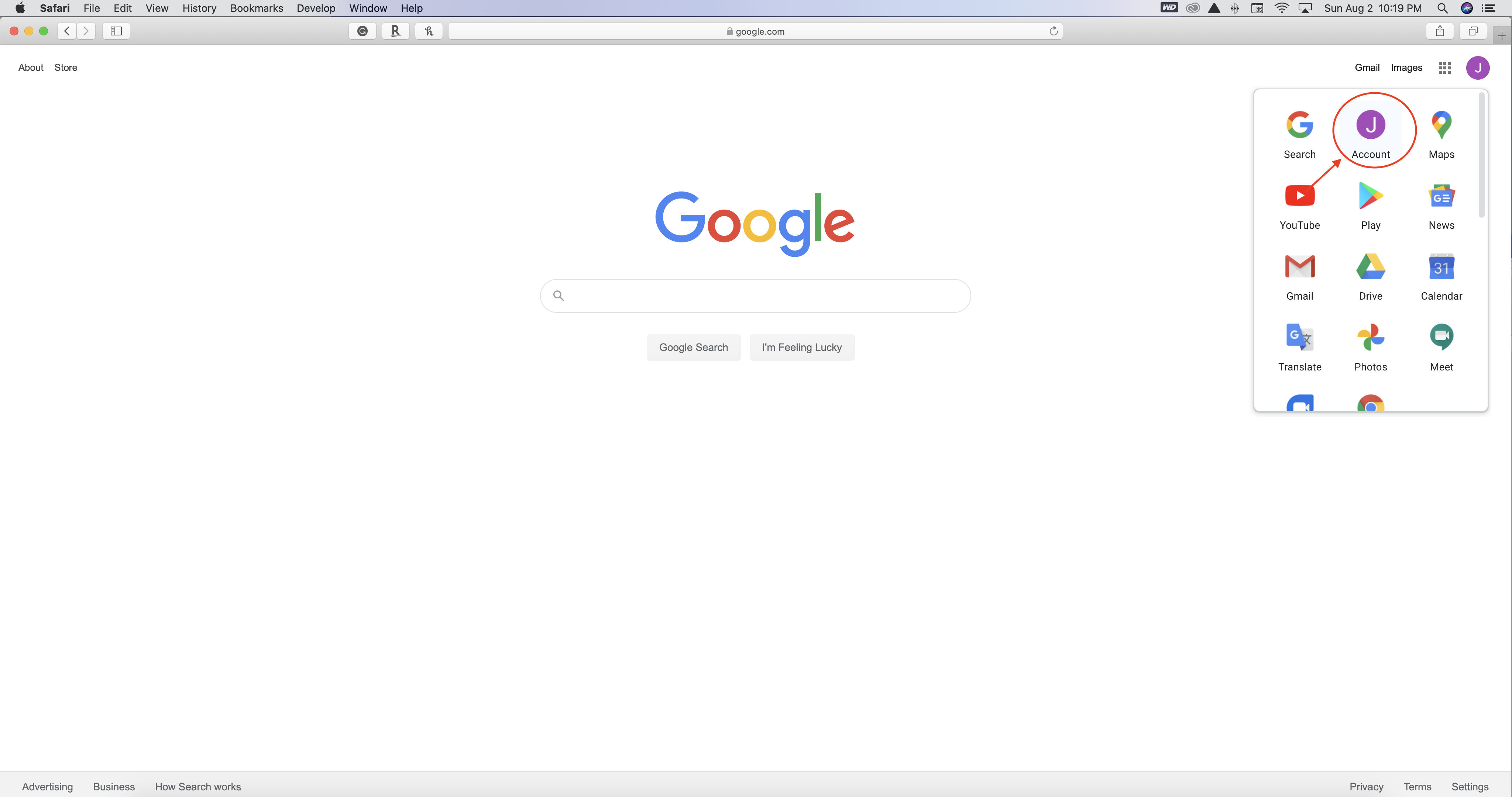
3. Click on account
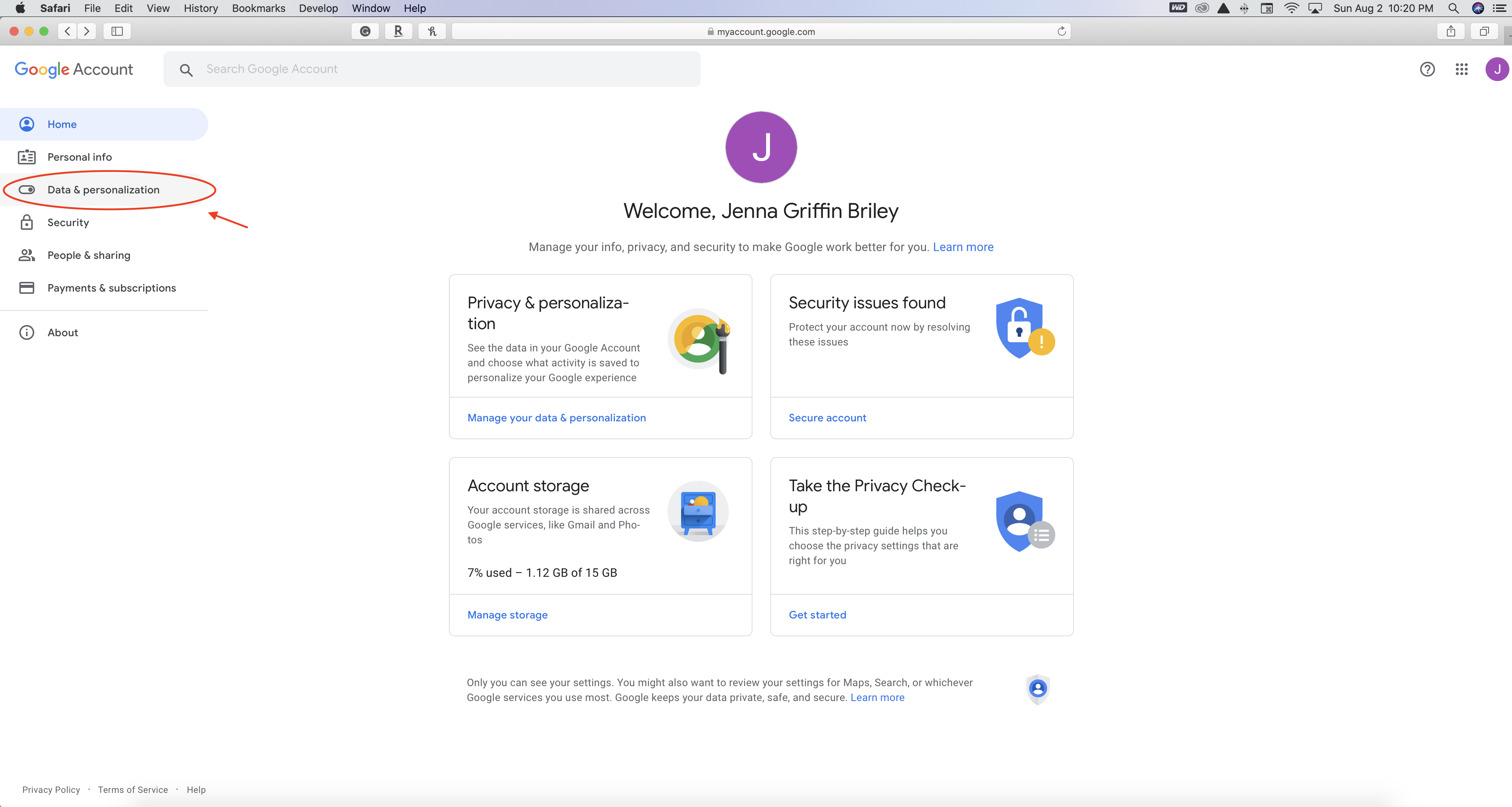
4. Click on Data & Personalization
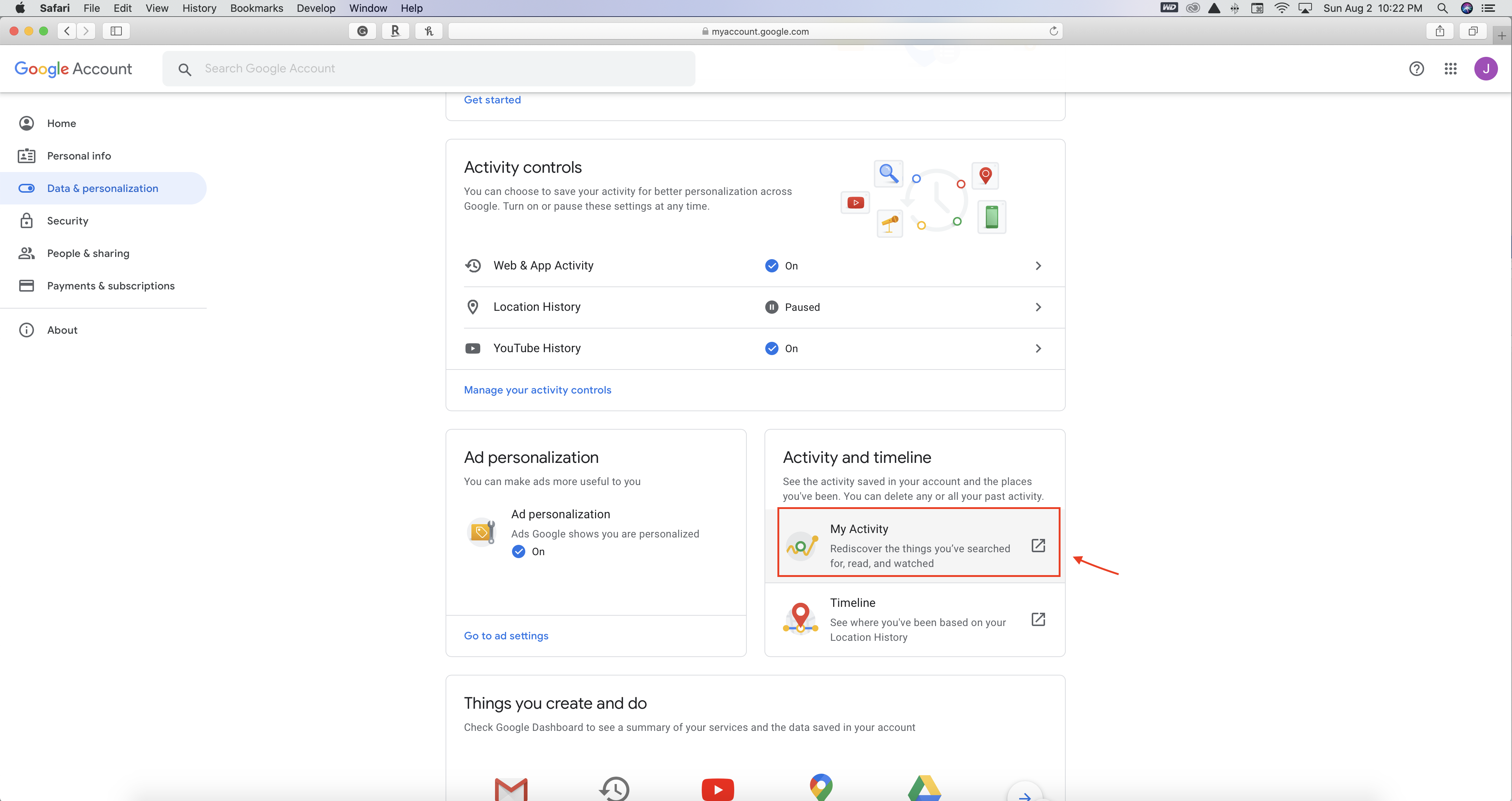
5. Click on My Activity
6. Now you are at the page you can delete your history


